Showing posts with label Vinegar. Show all posts
Showing posts with label Vinegar. Show all posts
Thursday, June 27, 2019
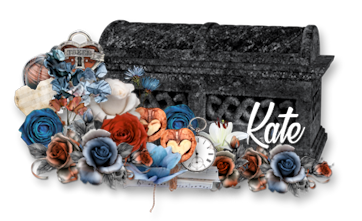
Earth Magick CT Tag, Snags and Wallpaper

Made using "IB-Vinegar 16-2" from Chaos Priestess and "16-2" From Vinegar
Right click to save your snags full size
Full size Wallpaper can be found here


Thursday, November 20, 2014
Dark Snow Queen PTU Tut

Any resemblance to any other tutorial or signature is merely coincidental and is not intended.
I am using the artwork of Vinegar –. You can purchase this artwork and a license to use them HERE you MUST have a license to use this work (12-3)
I am using the font: Alfred Drake
I am using the Plugins: Alien Eye Candy 5
I am using "IB-Vinegar 12-3" From Tasha's Playground you can find it here
I am using mask of your choice
I am using Drop Shadow -3 Vert, 3 Hori, Opacity 74, Blur 5.8 Color #202020
Pieces of the kit used in this tutorial are
Paper 01
Paper 05
Frame 1
Element 03
Element 05
Element 15
Element 02
Element 09
Element 13
Element 16
Word Art
You must have working knowledge of PSP to complete this tutorial. This tutorial was written using PSPX6
Open new Canvas 600*600
New Layer, flood fill with Paper 01, Apply mask and resize to your liking, Merge Group
C/P Frame 1, resize to your liking, Use Magic Wand, select inside of the frame. Selections - Modify - Expand 5.0 Pixels. New Layer, Flood fill with Paper 5.
Paste Full Tube over the Frame Duplicate. Apply Gaussian Blur 3.0 to Original, Drop Shadow. Set Blend mode to screen for Copy, reduce opacity to 70%
Element 03, resize and Place to your liking, duplicate, Mirror, drop shadow
Element 05, resize and Place to your liking, drop shadow
Element 15, resize and Place to your liking, drop shadow
Element 02,resize and Place to your liking, duplicate, Mirror, drop shadow
Element 09,resize and Place to your liking, duplicate, Mirror, drop shadow
Element 13,resize and Place to your liking, duplicate, Mirror, drop shadow
Element 16, resize and Place to your liking, duplicate, Mirror, drop shadow
Word Art, resize and Place to your liking, drop shadow
Resize the signature if needed
The name: I am using the font: Alfred Drake, size 60, #0d1319, Apply Eye Candy #ffffff, Drop Shadow

Add your copyright information and license number before save

Thursday, September 18, 2014
Autumn Sunset PTU Tut

Any resemblance to any other tutorial or signature is merely coincidental and is not intended.
I am using the artwork of Vinegar –. You can purchase this artwork and a license to use them HERE you MUST have a license to use this work (11-1)
I am using the font: Anglia Script
I am using the Plugins: Alien Eye Candy 5
I am using "Autumn Sunset" From Tiny Turtle’s Designs, you can find it here
I am using mask of your choice
I am using Drop Shadow -3 Vert, 3 Hori, Opacity 74, Blur 5.8 Color #202020
Pieces of the kit used in this tutorial are
Paper 9
Paper 4
Element 18
Element 3
Element 100
Element 24
Element 35
Element 52
Element 22
Element 63
Element 23
You must have working knowledge of PSP to complete this tutorial. This tutorial was written using PSPX6
Open new Canvas 600*600
New Layer, flood fill with Paper 9, Apply mask and resize to your liking, Merge Group
C/P Element 18, resize to your liking, Use Magic Wand, select inside of the frame. Selections - Modify - Expand 5.0 Pixels. New Layer, Flood fill with Paper 4.
Paste tube over the top of your frame. Use Magic Wand, select inside of the frame. Selections - Modify - Expand 3.0 Pixels. Use your eraser and take off the bottom of the tube, like she's coming out of it.
Element 3, resize and Place to your liking, drop shadow
Element 100, resize and Place to your liking, drop shadow
Element 24, resize and Place to your liking, drop shadow
Element 35, resize and Place to your liking, drop shadow
Element 52, resize and Place to your liking, drop shadow
Element 22, resize and Place to your liking, drop shadow
Element 63, resize and Place to your liking, drop shadow
Element 23, resize and Place to your liking, drop shadow
Resize the signature if needed
The name: I am using the font: Anglia Script, size 48, #49101f, Apply Eye Candy #ffce5b, Drop Shadow
Add your copyright information and license number before save

Friday, August 1, 2014
Darkness PTU tut

Any resemblance to any other tutorial or signature is merely coincidental and is not intended.
I am using the artwork of Vinegar –. You can purchase this artwork and a license to use them HERE you MUST have a license to use this work (Her Own Funeral)
I am using the font: Gothic Horror
I am using the Plugins: Alien Eye Candy 5
I am using "Darkest Night" From Tiny Turtle’s Designs, you can find it here
I am using mask of your choice
I am using Drop Shadow -3 Vert, 3 Hori, Opacity 74, Blur 5.8 Color #202020
Pieces of the kit used in this tutorial are
Paper 17
Element 22
Element 44
Element 165
Element 166
Element 125
Element 99
Element 120
Element 105
You must have working knowledge of PSP to complete this tutorial. This tutorial was written using PSPX6
Open new Canvas 600*600
New Layer, flood fill with Paper 17, Apply mask and resize to your liking, Merge Group
Paste Full tube, resize and place to your liking, drop shadow
Element 22, resize and Place to your liking, drop shadow
Element 44, resize and Place to your liking, drop shadow
Element 165, resize and Place to your liking, drop shadow
Element 166, resize and Place to your liking, drop shadow
Element 125, resize and Place to your liking, drop shadow
Element 99, resize and Place to your liking, drop shadow
Element 120, resize and Place to your liking, drop shadow
Element 105, resize and Place to your liking, Gradient Glow with #3f3f3e, drop shadow
Resize the signature if needed
The name: I am using the font: Gothic Horror, size 30, #232426, Apply Eye Candy #3f3f3e, Drop Shadow
Add your copyright information and license number before save
Monday, July 14, 2014
Vintage Beauty PTU Tut

Any resemblance to any other tutorial or signature is merely coincidental and is not intended.
I am using the artwork of Vinegar –. You can purchase this artwork and a license to use them HERE you MUST have a license to use this work (Scent of Daffodils)
I am using the font: Angelica
I am using the Plugins: Alien Eye Candy 5,
I am using "Vintage Beauty" From Tiny Turtle's Designs, you can find it here
I am using mask of your choice
I am using Drop Shadow -3 Vert, 3 Hori, Opacity 74, Blur 5.8 Color #202020
Pieces of the kit used in this tutorial are
Paper 23
Paper 13
Element 95
Element 12
Element 59
Element 99
Element 105
Element 57
Element 38
Element 76
Element 16
Element 6
You must have working knowledge of PSP to complete this tutorial. This tutorial was written using PSPX6
Open new Canvas 600*600
New Layer, flood fill with Paper 23, Apply mask and resize to your liking, Merge Group
C/P Element 95, resize to your liking, Use Magic Wand, select inside of frame, selections - modify - expand 5.0 pixels. New Layer, Flood fill with Paper 13.
Paste Full tube, resize and place to your liking, drop shadow
Element 12, resize and Place to your liking, drop shadow
Element 59, resize and Place to your liking, Duplicate, Mirror, drop shadow
Element 99, resize and Place to your liking, Duplicate, Mirror, drop shadow
Element 105, resize and Place to your liking, Duplicate, Mirror, drop shadow
Element 57, resize and Place to your liking, Duplicate, Mirror, drop shadow
Element 38, resize and Place to your liking, Duplicate, Mirror, drop shadow
Element 76, resize and Place to your liking, Duplicate, Mirror, drop shadow
Element 16, resize and Place to your liking, Duplicate, Mirror, drop shadow
Element 6, resize and Place to your liking, drop shadow
Resize the signature if needed
The name: I am using the font: Angelica, size 28, #3e8b7f, Apply Eye Candy #ffffff, Drop Shadow
Add your copyright information and license number before save
Subscribe to:
Posts
(Atom)
MY BLINKIE

Facebook Me

Stores I Sell In


Who I CT For

 "
CU Licenses